Logging In and Activating a QMENTA Project
Log in
Note
Prior to using the QMENTA Client API, all users must be registered to the QMENTA Platform.
To log in, establish a connection with the QMENTA Platform by creating an instance of your account. The following credential combinations are supported:
Username and password
import qmenta.client

account = qmenta.client.Account(username="user@example.com", password="password")
Note
Accounts with two-factor authentication (2FA) enabled cannot log in with username and password. Use an API key instead.
API key
import qmenta.client

account = qmenta.client.Account(api_key="MyApiKey")
API-key login does not require two-factor authentication. To generate an API key, go to your profile settings on the QMENTA Platform.
Username, password, and API key
All three values can be provided simultaneously. The authentication layer determines which credential to use:
import qmenta.client

account = qmenta.client.Account(
    username="user@example.com",
    password="password",
    api_key="MyApiKey",
)
Note
The full constructor signature is:
Account(username, password, base_url, verify_certificates, api_key)
api_key is the last parameter. Existing code that passes base_url
or verify_certificates positionally continues to work without changes.
api_key must always be passed as a keyword argument:
# positional usage unchanged
account = qmenta.client.Account("user@example.com", "password",
                                "https://platform.qmenta.com")

# api_key always keyword
account = qmenta.client.Account(api_key="MyApiKey")
Check available Projects:
print(account.projects)
Example output:
[{'id': 80, 'name': 'Nunc interdum lacus sit'},
 {'id': 43, 'name': 'Test Project'}]
Each element contains a Project ID (id) and Project Name
(name). The Project ID is the unique identifier.
Note
The QMENTA Platform supports various Project types and user roles. Restricted roles may limit API functionality. See Roles and Permissions for details.
Activate a Project
To activate a Project, you need its Project ID. You can find this:
From the Python output above
Via the Project Name
From the QMENTA Platform dashboard:
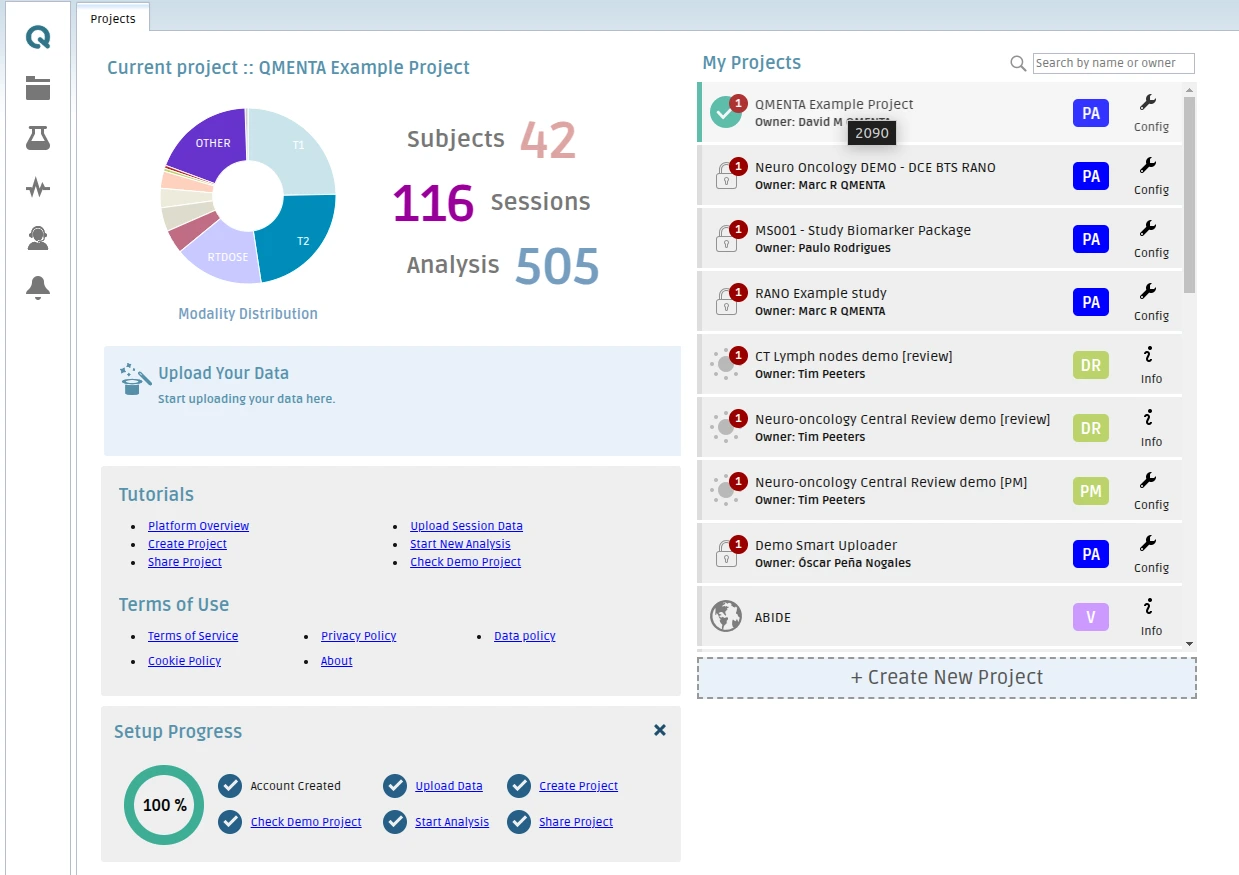
Activate using Project ID:
project_id = "43"  # Define Project ID
project = qmenta.client.Project(account, project_id)
Or indirectly via Project Name:
project_name = "Test Project"
project = next(
    (qmenta.client.Project(account, p["id"])
    for p in account.projects
    if p["name"] == project_name
, None)
The project variable is an instance of Project, enabling
interaction with the Project’s data and settings.
Next Steps
Explore:
Data Handling – Upload data
Data Searches – Data and metadata searches
Metadata Handling – Modify metadata
Analyses Execution – Execute analyses
Results Handling – Retrieve analysis outputs